
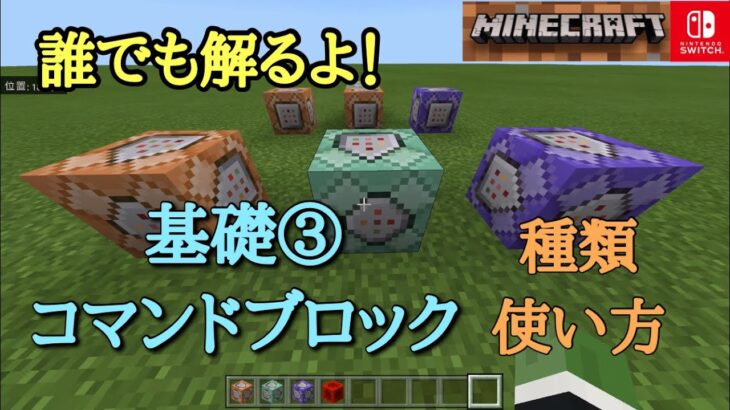

is a popular video game that allows players to build and explore virtual worlds. It also has a feature called “commands” which allows players to manipulate the game and perform various actions. In this “Command Basics Part 3” tutorial, we will focus on one specific type of command, the command block, which is only available in the “Switch” version of Minecraft.
A command block is a block that can store and execute commands, making it useful for automating tasks or creating custom map elements. There are three types of command blocks: impulse, chain, and repeating. To use a command block, you must have “cheats” enabled in your world settings.
The impulse command block is the most basic type and executes its command once when it receives a redstone signal. This means that it is useful for one-time actions, such as giving a player an item or teleporting them to a specific location. To use an impulse command block, simply place it in your world and right-click it to open its interface. Then, type in the desired command and click “Done” to save it. Whenever the command block receives a redstone signal, it will execute the command.
The chain command block is similar to the impulse one, but it can be chained together with other command blocks to create a sequence of commands. This is useful for creating more complex actions, such as setting up a series of events or conditions. To use a chain command block, place it next to an impulse or another chain command block and connect them with a redstone signal. Then, enter the desired command in the interface and click “Done.” When the first command block is activated, it will trigger the next one in the chain, and so on.
The repeating command block is the most powerful type as it can continuously execute its command at a set interval. This is useful for creating timers or automated systems. To use a repeating command block, place it in your world and right-click to open the interface. Enter the desired command and set the interval in the options below. Click “Done” to save your changes. The command will now be executed continuously until the command block is deactivated or removed.
It is important to note that command blocks can only execute commands that are available in Minecraft’s “cheats” mode. Additionally, command blocks can only be accessed by players in creative mode or by server operators. This ensures that the use of command blocks is limited to those with proper permissions.
In conclusion, command blocks are a powerful tool in Minecraft that allows players to automate tasks and create unique gameplay experiences. With impulse, chain, and repeating command blocks, players can create complex commands and systems in their world. Have fun experimenting with command blocks in your Minecraft adventures!

![コマンドで踊る防具立ての作り方を解説 [マインクラフトJava版]](https://moregame.xsrv.jp/wp-content/uploads/2025/12/Java-2.jpg)


